About The PEIT Map Creator
Interactive environmental mapping — no ArcGIS Pro license required
What is the PEIT Map Creator?
The PEIT Map Creator (Permitting and Environmental Information Tool) generates interactive web maps showing environmental features that intersect with your project area. It queries 130+ federal and state environmental databases hosted on ArcGIS FeatureServers and produces a self-contained HTML map along with PDF and Excel reports.
The tool replicates the functionality of NTIA's APPEIT without requiring an ArcGIS Pro license, making environmental permitting research accessible to anyone with a web browser.
How It Works
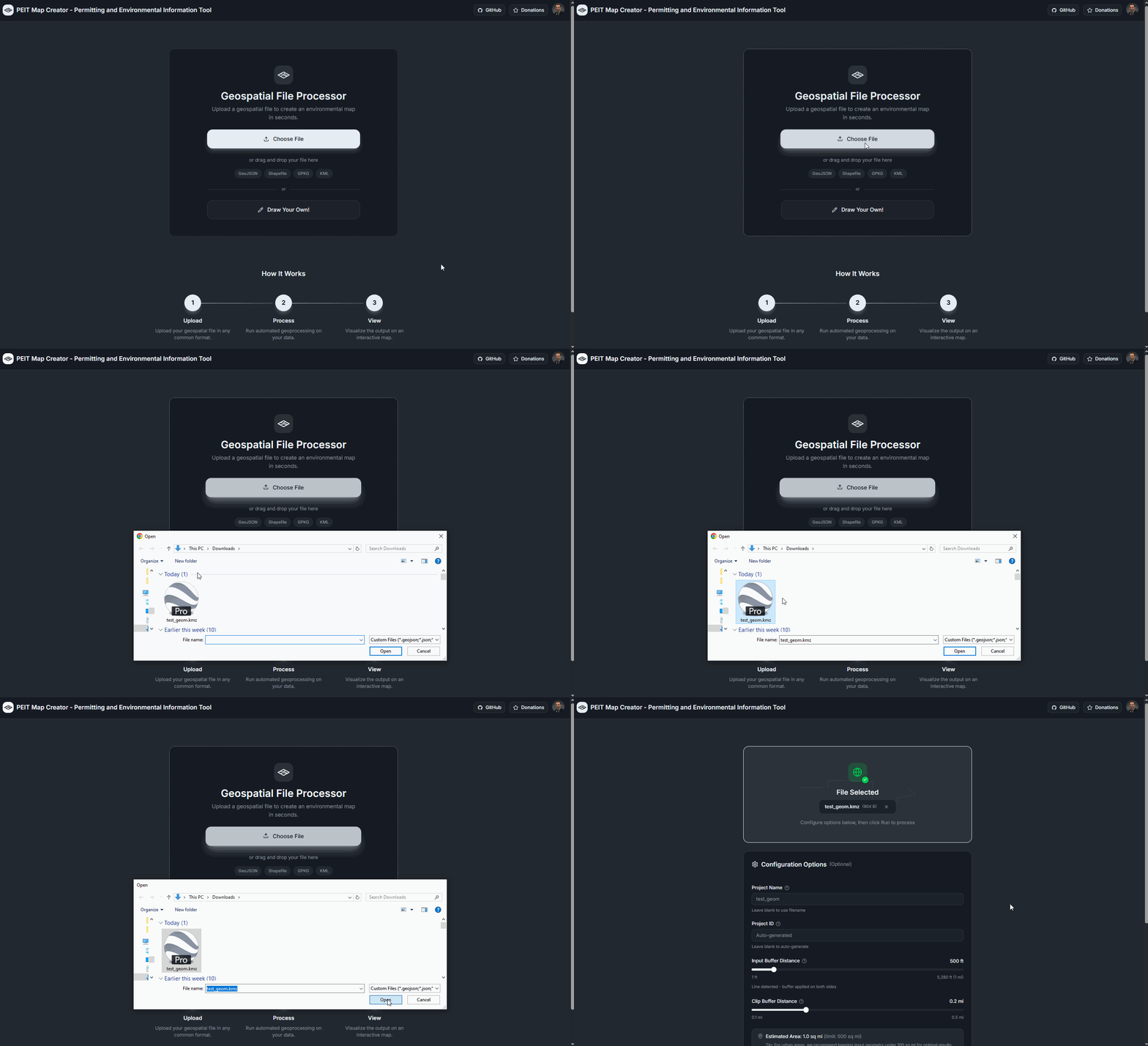
Step 1: Upload Your File
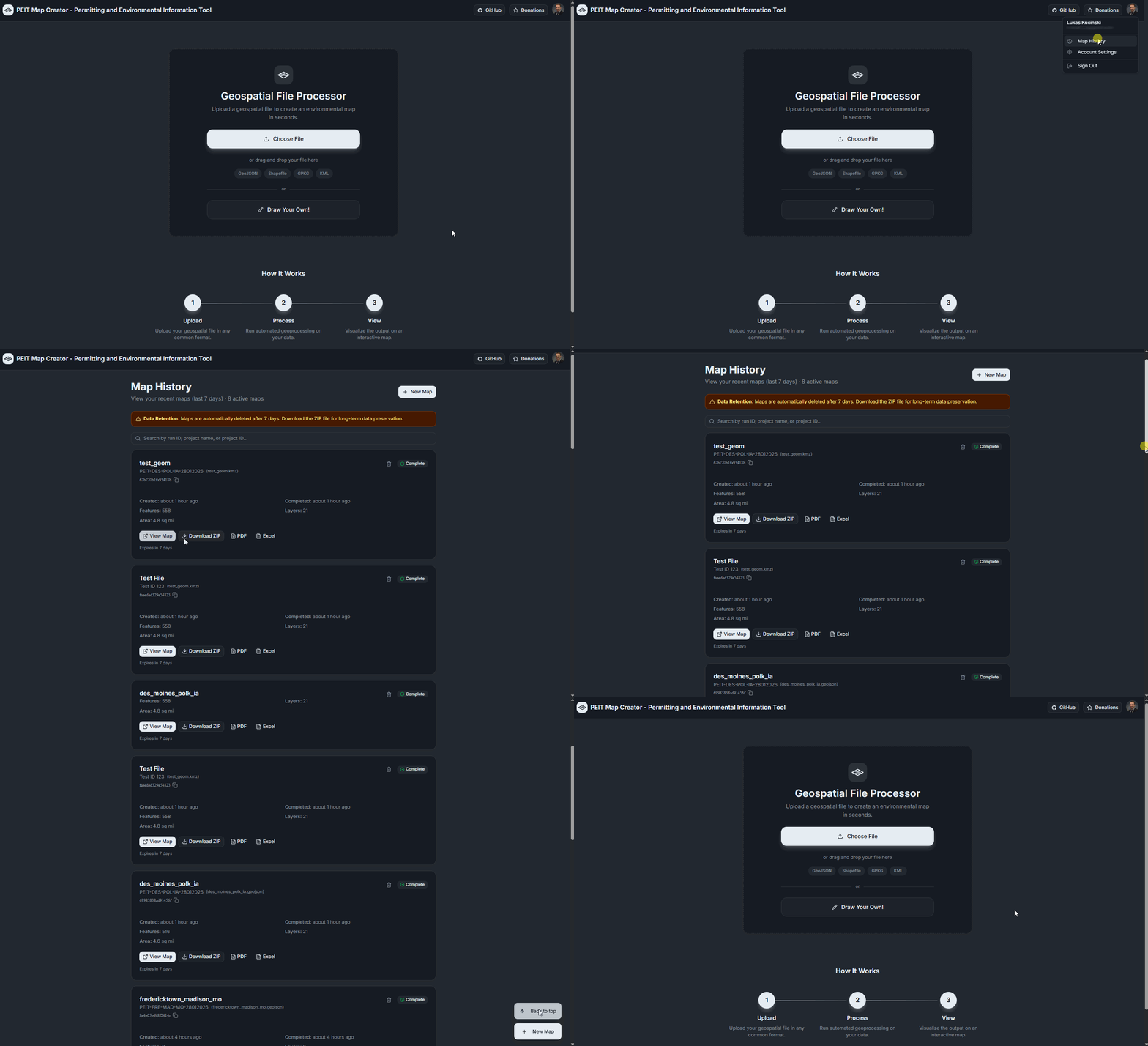
Drag and drop a geospatial file (GeoJSON, Shapefile, KML/KMZ, GeoPackage, or FileGDB) onto the upload area.
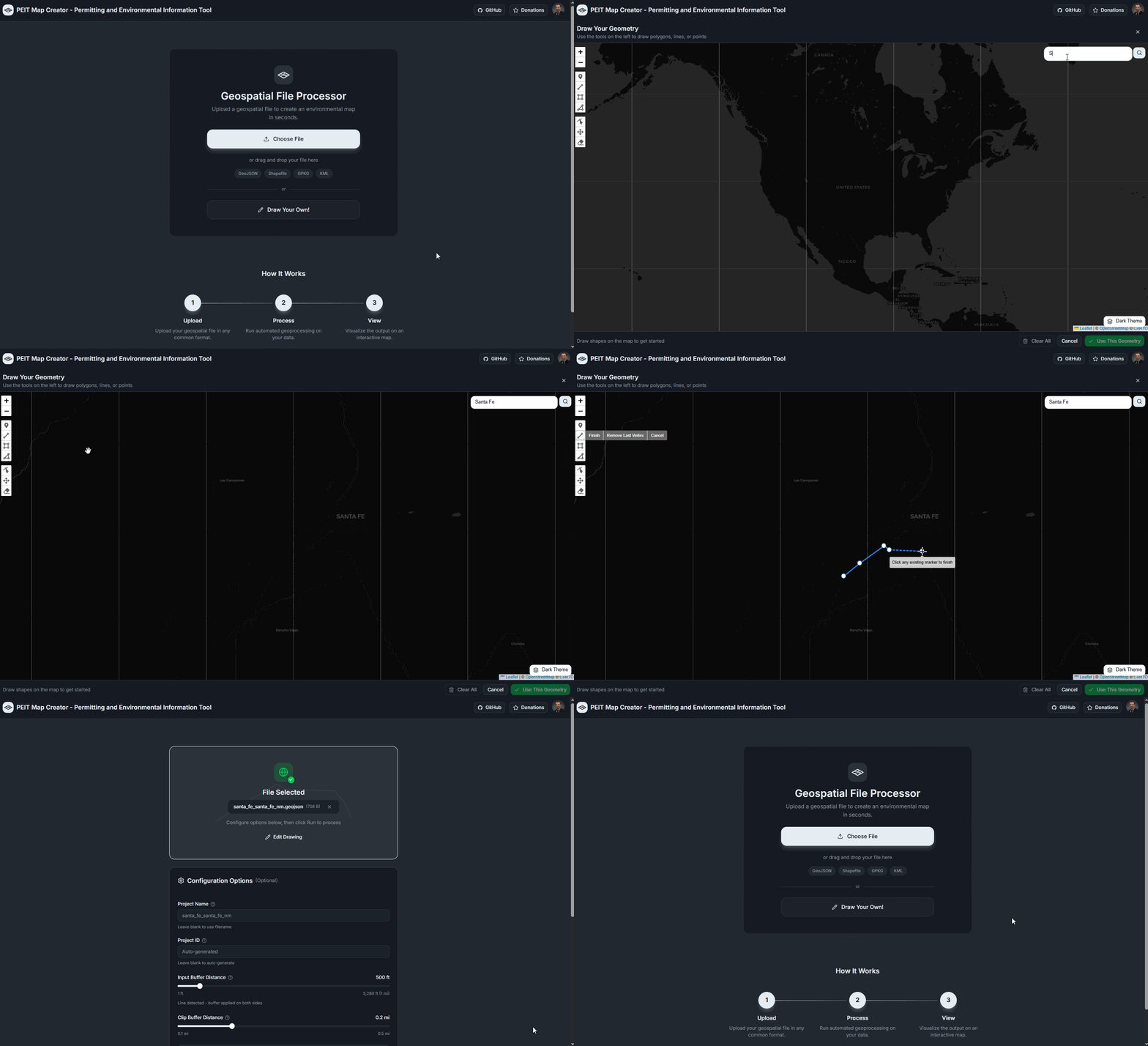
Step 2: Draw Your Own Geometry
No file? Draw polygons, lines, or points directly on an interactive map using the built-in drawing tools.
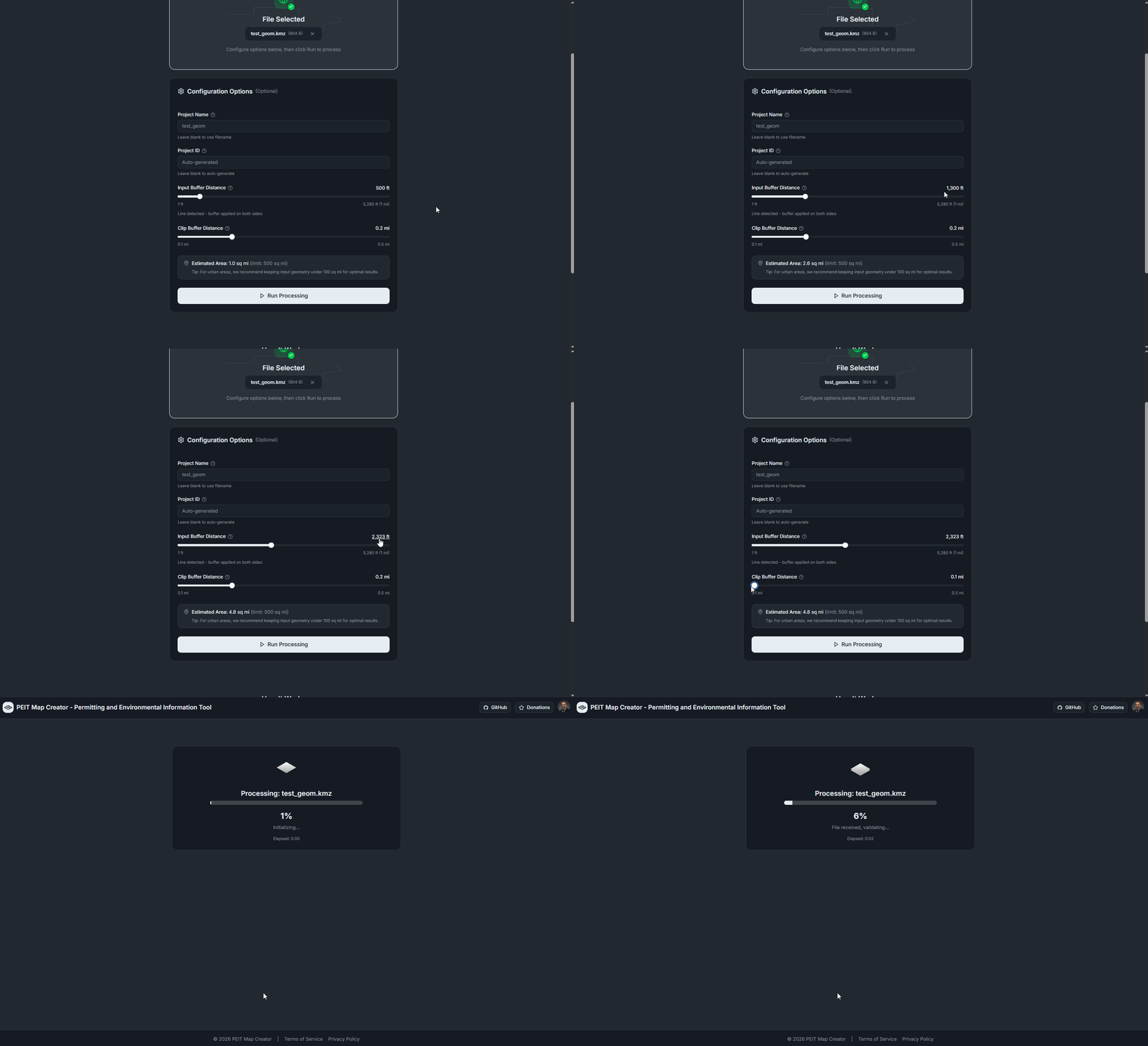
Step 3: Configure and Process
Set your project name, buffer distance, and clip radius, then hit Run to start querying 130+ environmental layers.
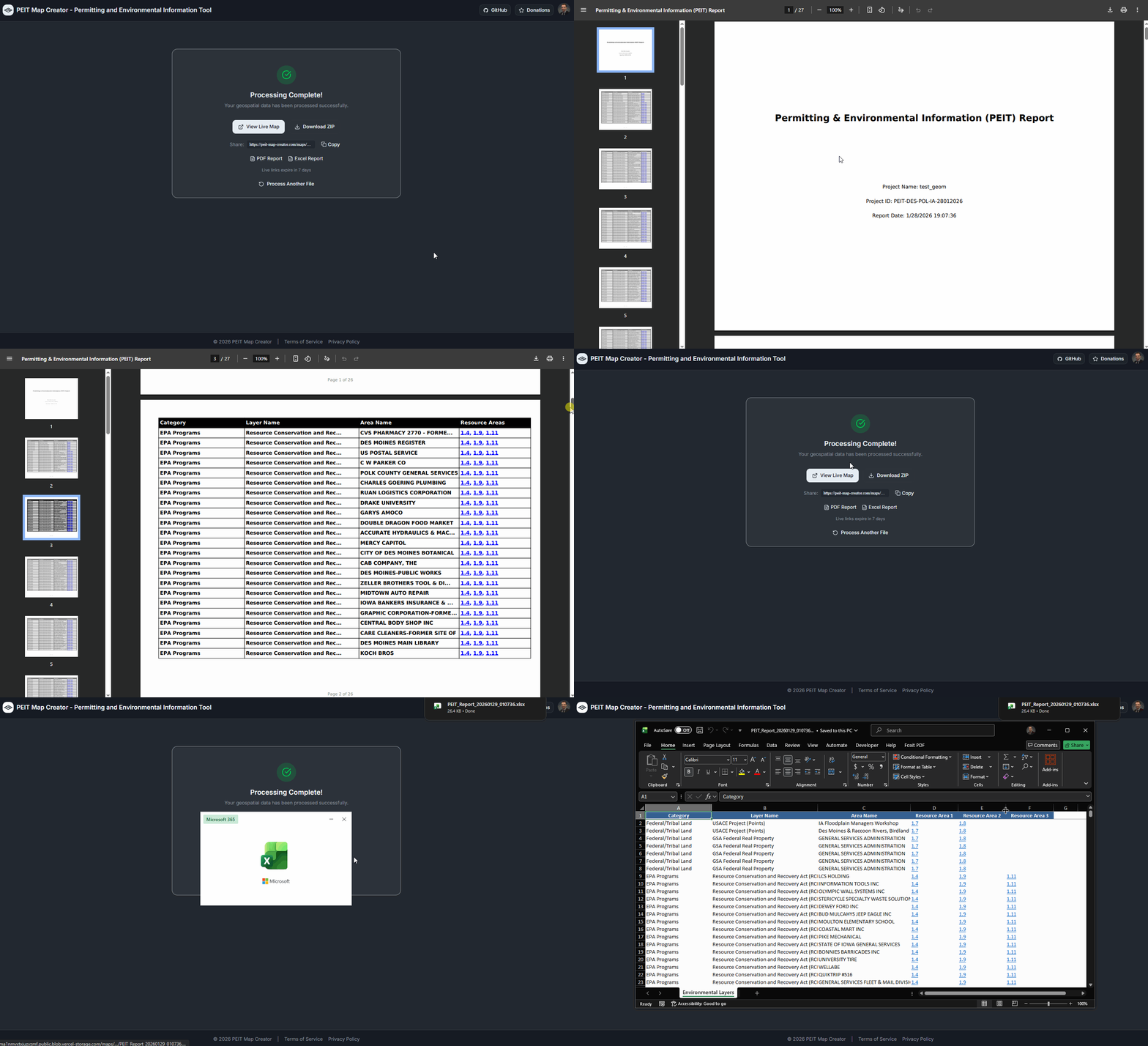
Step 4: Results Ready
When processing completes, view your live map, download a ZIP package, or grab the PDF and Excel reports directly.
Step 5: Explore Your Map
Interactive Leaflet map with grouped layer controls, searchable legend, popups with resource area links, and multiple basemaps.
Step 6: Navigate and Analyze
Toggle layers, search by name, measure distances, download individual layers in multiple formats, and right-click to copy coordinates.
Step 7: Map History
Sign in to save your maps. The Map History dashboard shows your recent runs with quick access to maps, reports, and downloads.
Key Features
- 130+ environmental layers (EPA, USFWS, FEMA, BIA, NPS, USACE, and more)
- Supports GeoJSON, Shapefile, KML/KMZ, GeoPackage, and FileGDB formats
- Draw polygons, lines, or points directly on the map
- Automatic buffering for point and line geometries
- Smart polygon query strategy for accurate intersection results
- Automatic pagination for layers exceeding server feature limits
- PDF and Excel report generation with resource area references
- Download results as GeoJSON, Shapefile, KMZ, or GeoPackage
- Shareable map links with 7-day retention
- Map History dashboard for signed-in users
- Dark mode support
Open Source & Attribution
The PEIT Map Creator is open source. View the code, report issues, or contribute on GitHub.
Environmental data is sourced from publicly available U.S. government ArcGIS FeatureServers maintained by agencies including the EPA, USFWS, FEMA, BIA, NPS, and USACE. This tool does not store or redistribute any government data — it queries these services in real time on your behalf.